🔬 Compileo: The Ultimate AI-Powered Document Processing & Dataset Engineering Suite
Compileo is an enterprise-grade, modular platform designed to transform raw, unstructured data into high-quality, structured intelligence. Whether you're processing 1,000-page medical PDFs, scraping JavaScript-heavy websites, or engineering datasets for LLM fine-tuning and personal study, Compileo provides a unified, AI-driven lifecycle for the modern data era.
🌟 What can Compileo do?
Compileo isn't just a parser—it's a comprehensive data engineering ecosystem. It automates the complex journey from "Messy Source" to Validated, Categorized Intelligence."
📖 Multi-Source Knowledge Consolidation
Imagine you have several thick textbooks and want to create a specialized dataset focused only on disease treatments. Compileo can: 1. Ingest all books simultaneously (PDF, DOCX, etc.). 2. Discover a unified "Treatment" taxonomy across all sources automatically. 3. Extract every mention of treatments, dosages, and contraindications with high precision. 4. Consolidate this into one unified, high-quality Q&A dataset for training or study.
🕹️ Three Ways to Work
Compileo is designed for every workflow: * Web GUI: A user-friendly Streamlit interface with a 7-step guided wizard. * REST API: Seamlessly integrate dataset generation into your own applications. * CLI: Automate heavy-duty processing with powerful command-line parameters.
🚀 Features
📄 Intelligent Document Processing & AI-Assisted Chunking
- Massive PDF Autonomy: Automatically splits 1,000+ page documents into manageable segments with semantic overlaps, ensuring LLM token limits are never hit while preserving context.
- Two-Pass VLM Parsing: Employs a "Skim and Extract" methodology using Vision-Language Models (Grok, Gemini, Ollama) to first understand document layout and then extract high-fidelity Markdown.
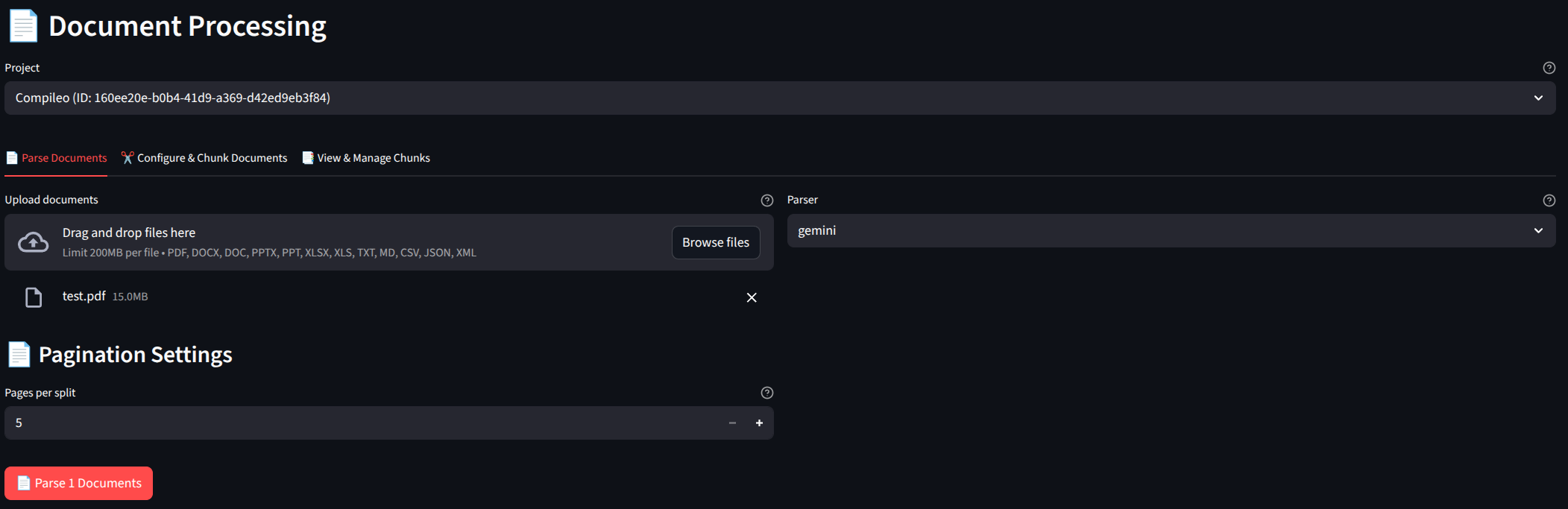
Intelligent Document Processing Workflow
- AI-Assisted Strategy Recommendation: Don't guess how to split your data. Describe your goal (e.g., "I want to extract detailed surgical procedures"), and Compileo's AI will analyze your documents to recommend the optimal Semantic, Token, or Schema-based chunking strategy.
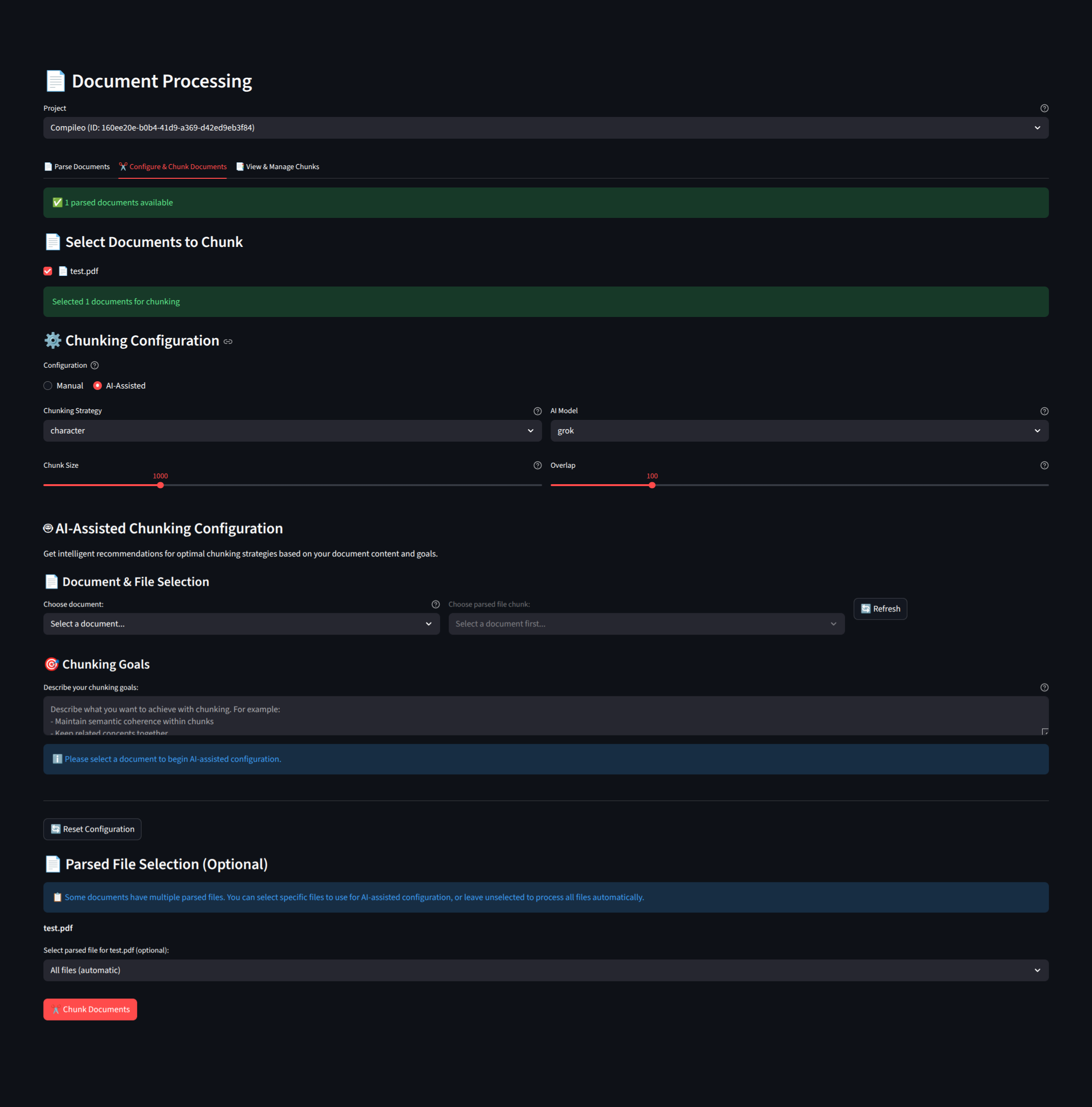
AI-Assisted Chunking Interface
🧠 Semantic Data Engineering
- AI-Assisted Taxonomy: Don't waste weeks defining categories. Compileo's Smart Sampling selects representative content to suggest and build hierarchical knowledge trees automatically.
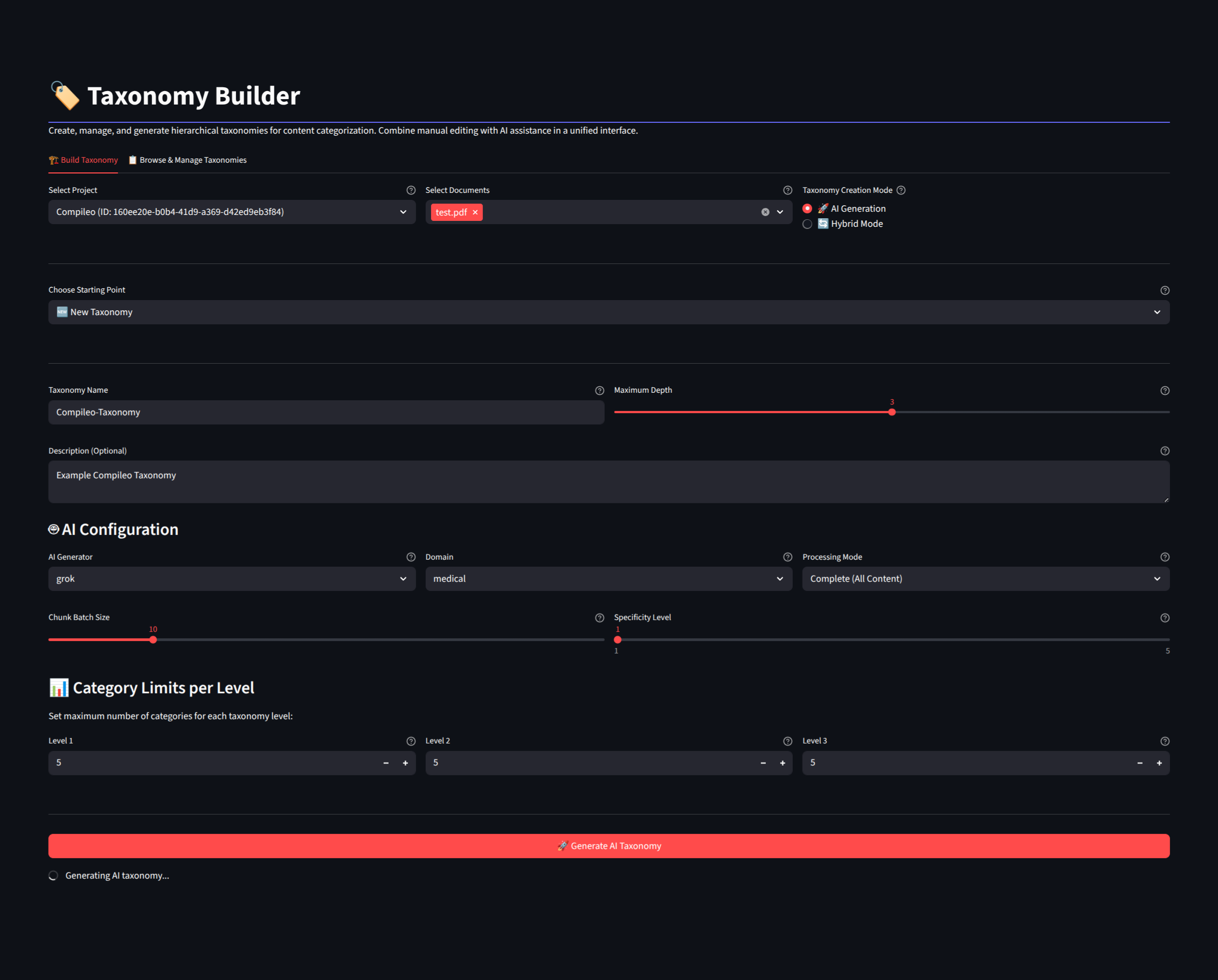
AI-Assisted Taxonomy Generation
- Multi-Stage Extraction: Performs Hierarchical Classification, moving from coarse-grained categories to fine-grained entities based on your custom or generated taxonomy.
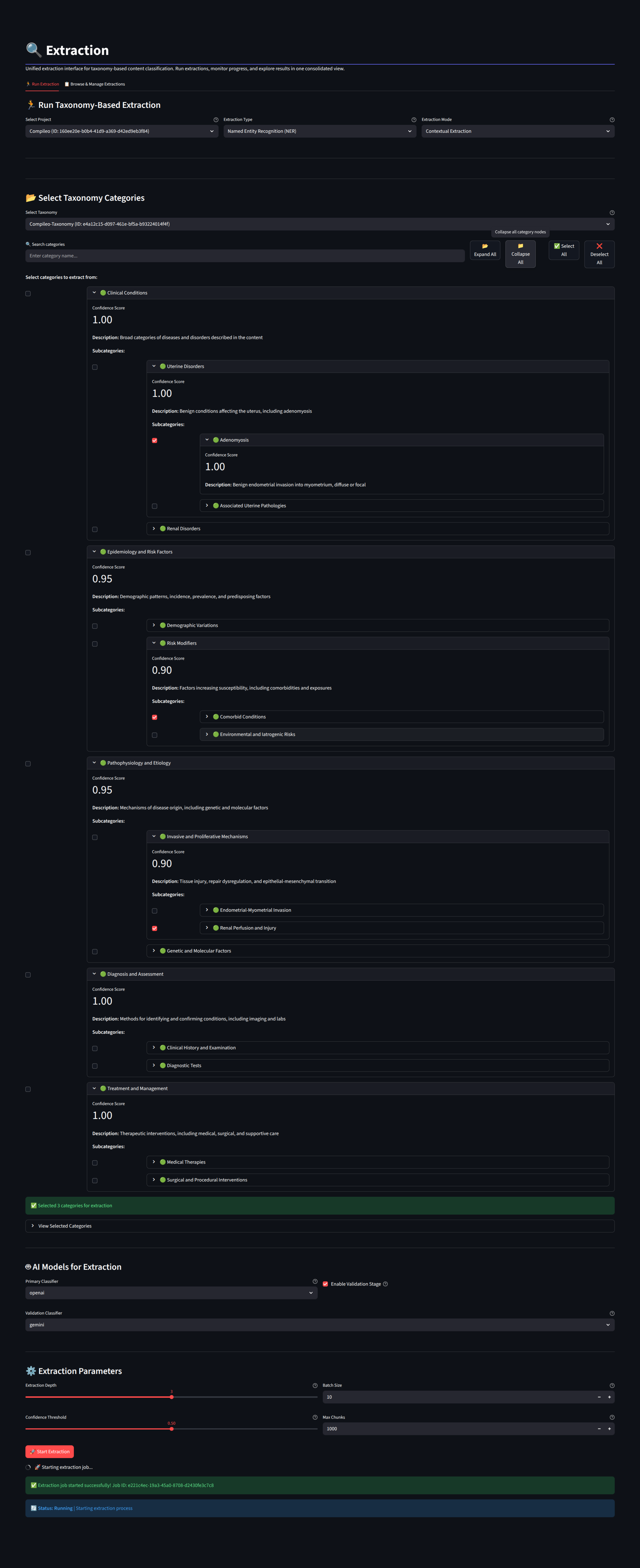
Multi-Stage Entity Extraction
- Dataset Engineering: Transform extracted entities into high-quality datasets for RAG or fine-tuning.
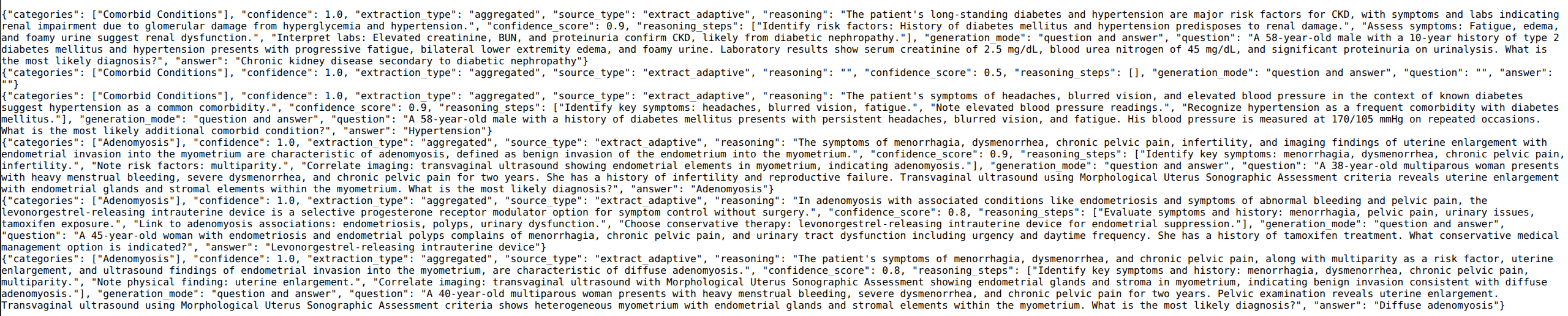
Generated Dataset Preview
🧪 Advanced Quality Control & Evaluation
- AI Confidence Scoring: Every extracted entity and relationship is assigned an AI confidence level (0.0 - 1.0), allowing you to filter for only the most reliable data.
- Deep Quality Metrics: Automated scoring for Lexical Diversity, Demographic Bias, Answer Coherence, and Target Audience Alignment via the
datasetqualmodule.
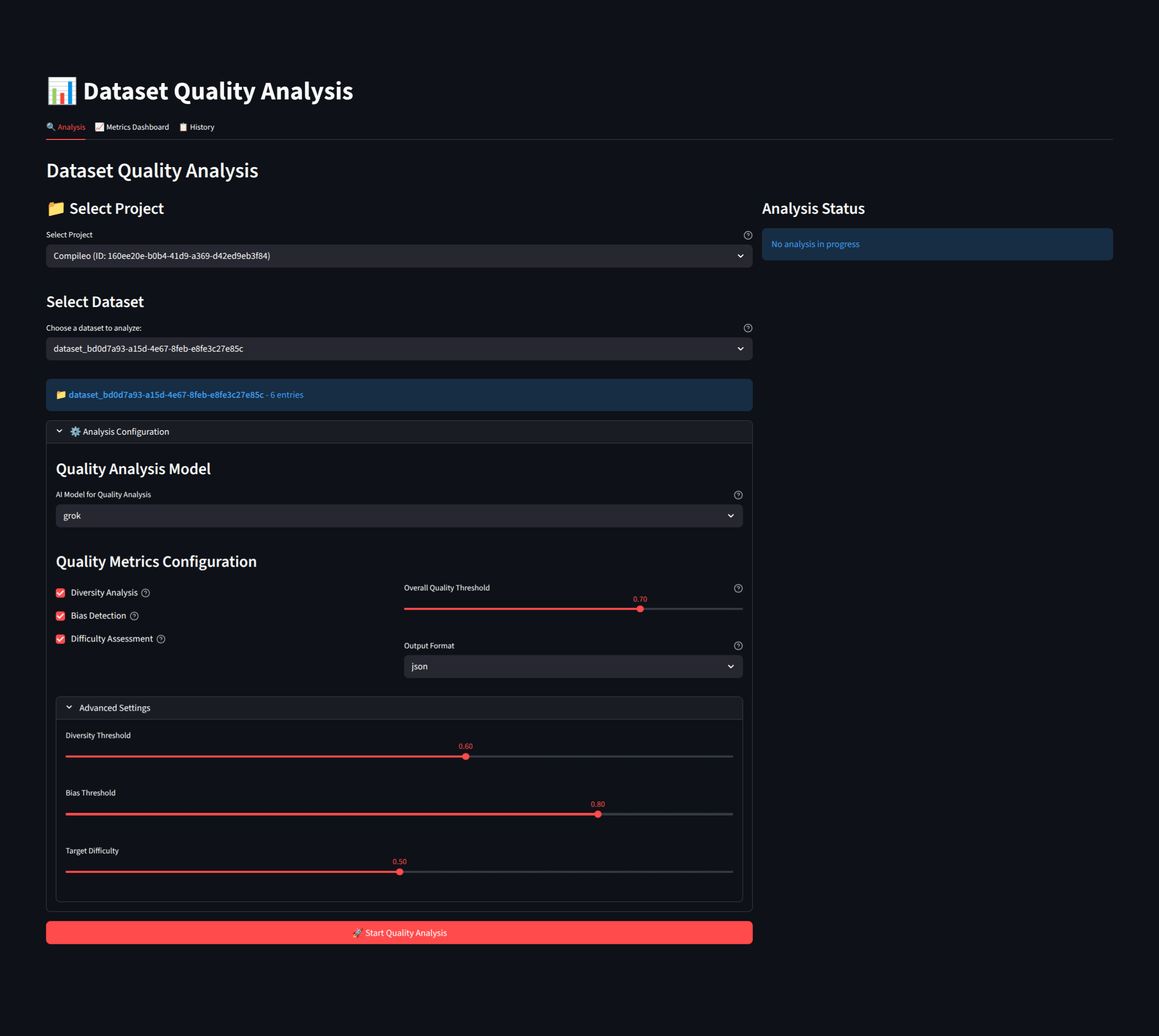
Dataset Quality Evaluation Dashboard
- Fine-Tuned Model Testing: Use the
benchmarkingmodule to evaluate how your fine-tuned models perform on your custom datasets using industry-standard metrics (Accuracy, F1, BLEU, ROUGE).
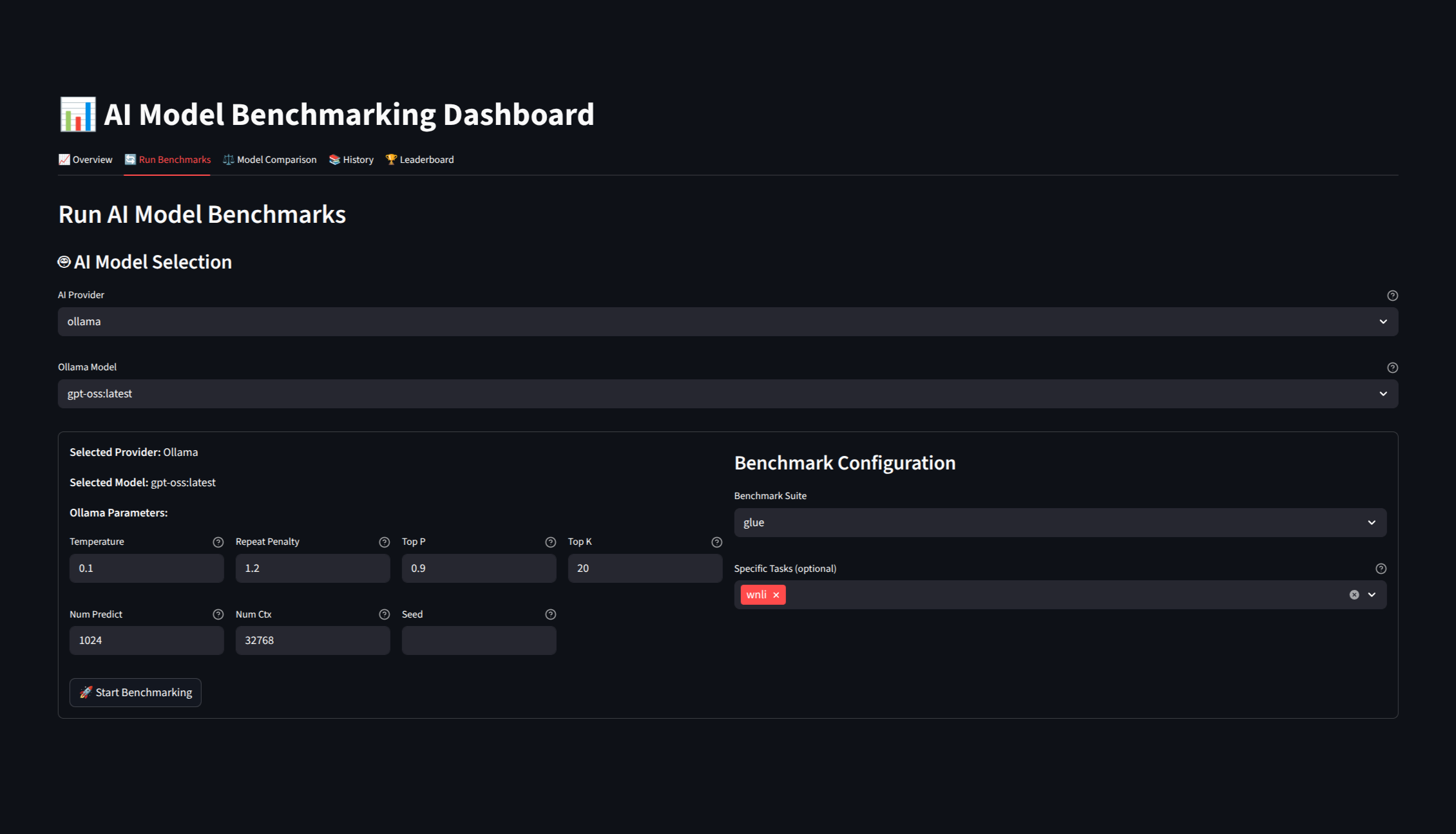
Model Performance Benchmarking
⚡ High-Concurrency Job Management
- Asynchronous Processing: All heavy-duty tasks are handled by a robust Redis-backed queue (RQ), allowing for background processing without blocking the API or GUI.
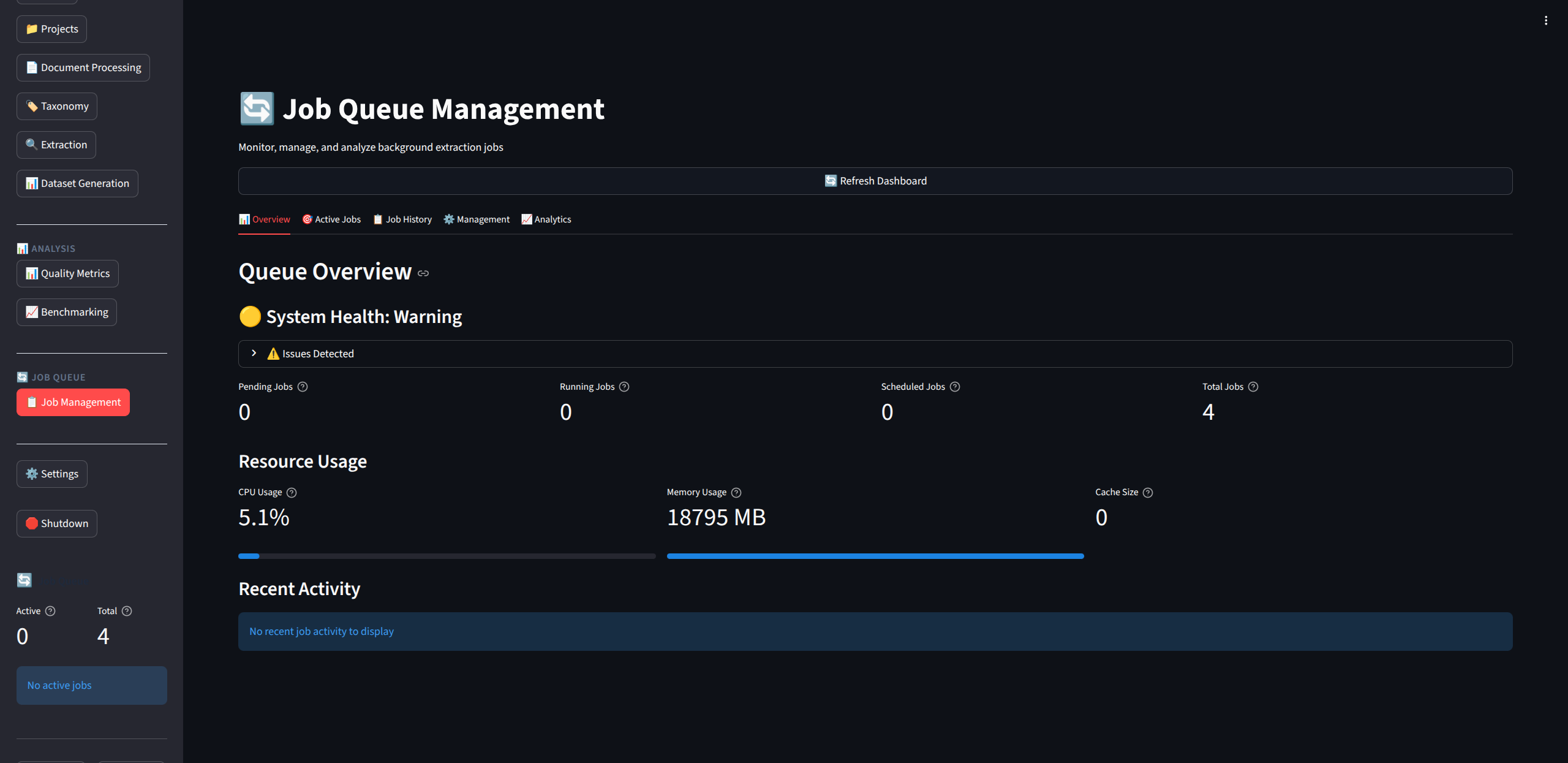
Asynchronous Job Management
🔌 Developer Extensibility
- Robust Plugin System: Effortlessly extend Compileo by adding custom Ingestion Handlers, Dataset Formatters, or API Routers via a simple
.zippackage architecture. - Custom Exports: Out-of-the-box support for Anki export, allowing you to turn any technical document into a high-quality study deck.
💻 System Requirements
- CPU: 4-core processor minimum (8-core recommended).
- RAM: 8GB minimum (16GB recommended for heavy processing).
- GPU (Optional): NVIDIA GPU with 8GB+ VRAM. Required for HuggingFace local inference and advanced system performance monitoring.
- Storage: 25GB free disk space.
- Operating System: Linux, macOS, or Windows.
🛠️ Installation
🐳 Option 1: Docker
The fastest way to deploy the full stack (API, GUI, and Redis).
- Clone & Prepare:
- Launch:
- Access:
- Web GUI:
http://localhost:8501 - API Docs:
http://localhost:8000/docs
- Web GUI:
🔐 API Authentication & Security
Compileo implements an "Auto-Lock" security model designed for zero-config startup without sacrificing security.
- Unsecured Mode (Default): If no API keys are defined, Compileo allows all requests.
- Secured Mode: As soon as you define an API key, the system "locks" and strictly requires that key for all operations.
How to Secure Your Instance (Choose One):
- GUI (Recommended): Launch Compileo, go to Settings > 🔗 API Configuration, enter one or more API Keys, and click Save.
- CLI: Start the API with the
--api-keyflag. - Environment: Define
COMPILEO_API_KEY=your_secret_keyin your.env.
How to Connect to a Secured Instance:
All API requests must include the following header:
🐍 Option 2: Python Environment
Ideal for local development, CLI automation, or custom integrations.
Prerequisites: A running Redis server.
- Setup Environment:
- Install Dependencies:
- Start Services:
📄 License
Apache 2.0